Canopus Offers EDIUS "How To" Guides
October 12, 2005
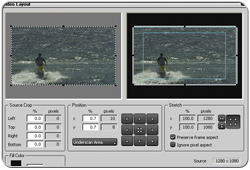 San Jose, CA - Canopus announced the availability of several "How To" guides to provide training materials for users. There is no cost to download these PDF guides. Much like the previously released EDIUS Training DVD, these PDF guides were developed as tools to enhance usability and increase efficiency. Each guide provides detailed instructions and illustrations.
Performing Basic Functions within EDIUS Pro 3 explains the different windows within EDIUS. It provides a step-by-step guides on how to capture from a camera, separate audio & video, use the mix track and much more.
To download the Basic Functions PDF go to:
Perform Basic Functions PDF
Exporting to DVD with EDIUS Pro 3 provides detailed instructions on how to create a playable DVD copy of projects. This guide will also demonstrate how to create chapter points for the DVD based on intervals of time, or pre-set markers on the timeline.
To download the Exporting to DVD PDF go to:
Export to DVD
Working with Audio Channels in EDIUS Pro 3 outlines the various audio capabilities within EDIUS Pro 3. This guide covers functions such as audio channel mapping, audio channel processing and audio channel locking.
To download the Audio Channels PDF go to:
Working with Audio Channels
Batch Capturing with EDIUS Pro 3 serves as an instructional guide for capturing footage from HDV and DV
To downlad the Batch Capturing PDF go to:
Batch Capturing
For information on the free EDIUS training DVD go to:
EDIUS Training DVD
# # #
For a listing of all the Industry News Stories...
Click Here
|



